
Need Help? Call Us Now!
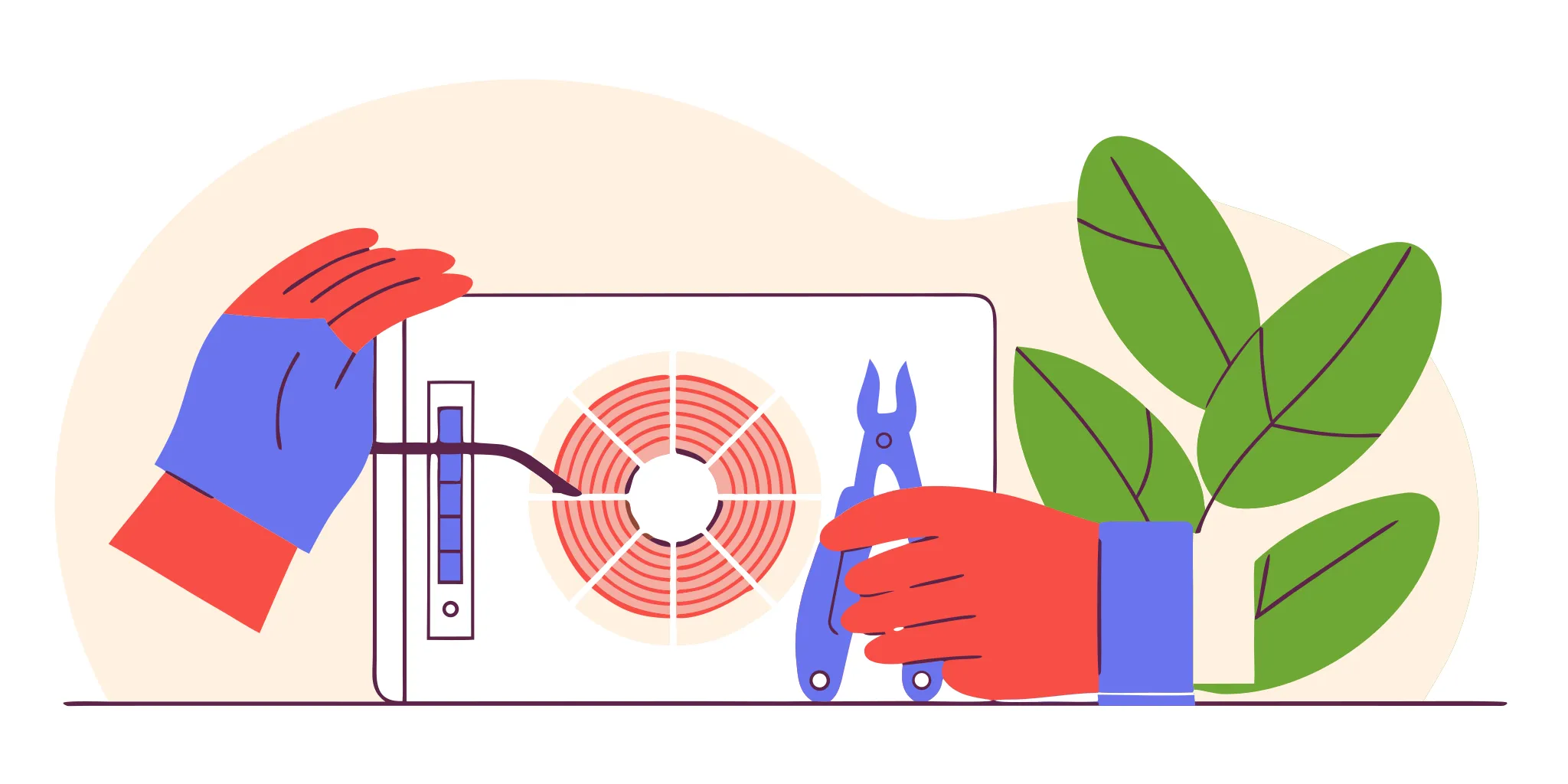
Gloved hands using tools to complete an AC fan motor repair.
Back to Blog
InsightsJune 21, 2026

AC Fan Motor Repair: A Homeowner's Guide

Get practical ac fan motor repair tips, warning signs to watch for, and clear steps to help you decide when to DIY or call a professional for your AC.

If you’re a homeowner who likes to understand how things work, you’ve probably tried to troubleshoot a home appliance before. When it comes to your air conditioner, some issues are simple fixes, like changing a dirty air filter or resetting a tripped breaker. However, a problem with the fan motor can be more complex. While it’s tempting to dive in, this job involves high-voltage electrical components that can be dangerous. This guide is designed to help you safely diagnose the issue, understand the difference between a simple fix and a serious problem, and know when it’s time to call a professional for your ac fan motor repair. ## Key Takeaways * **Know the Telltale Signs**: A failing fan motor gives clear warnings before it quits. Look for a fan that struggles to start, listen for unusual grinding or squealing noises, and notice if your home isn't cooling down even though the AC is running. * **Check the Simple Stuff First**: Before assuming the motor is dead, check for easy fixes like a tripped breaker, incorrect thermostat settings, or a clogged air filter. If you do inspect the unit, always shut off power at both the breaker and the outdoor disconnect box for your safety. * **Know When to Call a Professional**: Repairing the motor is usually cost-effective for AC units under 15 years old. However, if your system is older, or if you see serious electrical issues like a constantly tripping breaker or a humming fan that won't spin, it's time to call a pro for a safe diagnosis and a clear quote. ## How to Tell If Your AC Fan Motor Is Failing When your air conditioner stops working on a sweltering Florida day, it’s easy to assume the worst. But often, the problem is a single component: the fan motor in your outdoor unit. This motor is responsible for pulling air over the condenser coils to release heat from your home. When it starts to fail, it usually gives you a few warning signs before it quits completely. Recognizing these signs early can be the difference between a straightforward repair and a much bigger, more expensive problem. If your system is acting up, take a walk outside and check your condenser unit for any of the classic symptoms of a failing fan motor. Paying attention to what your AC is trying to tell you can help you diagnose the issue and know when it’s time to call for professional help. Here are the four most common signs that your AC fan motor is on its way out. ### The fan won't start or spins too slowly This is the most obvious sign of a problem. You might hear your AC unit click on, but when you look at the outdoor unit, the fan blades are either completely still or turning very slowly. A motor that struggles to start or maintain speed is often nearing the end of its life. In some cases, the fan might not spin because the entire outdoor unit isn't getting power. However, if you can hear the compressor humming but the fan isn’t moving, the fan motor itself (or its capacitor) is the likely culprit. ### Strange noises are coming from your outdoor unit Your AC unit should operate with a consistent, low hum. If you suddenly hear new, alarming sounds, it’s time to investigate. A failing fan motor can produce several distinct noises. A loud grinding or scraping sound often points to worn-out bearings inside the motor. You might also hear a high-pitched squealing or a persistent rattling while the fan is running. These sounds are not normal and indicate that internal parts are breaking down, creating friction and strain on the motor. Ignoring them can lead to the motor seizing up entirely. ### You notice a burning smell or the breaker keeps tripping A burning smell coming from your outdoor unit is a serious red flag that requires immediate attention. It often means the fan motor is overheating to the point of burning its wire insulation. If you notice this, shut off your air conditioner at the thermostat and the breaker box right away. Another electrical symptom is a circuit breaker that keeps tripping. A failing motor can draw too much electricity as it struggles to run, causing an overload that trips the breaker to prevent a fire. This is a clear sign of a critical electrical fault. ### The AC is running, but your home isn't getting cool If your thermostat is set to cool and you can hear the system running, but the air coming from your vents is lukewarm or cool but not cold, a broken fan motor could be the cause. The fan’s job is to expel heat from the refrigerant. If the fan isn't spinning, that heat has nowhere to go. The system will keep running, but it can’t effectively [cool your home](https://www.carrier.com/us/en/residential/hvac-resources/air-conditioners/ac-fan-not-spinning/) because it can't complete the heat exchange cycle. Running your AC with a broken fan can also put immense strain on the compressor, risking damage to your system’s most expensive component. ## What Causes an AC Fan Motor to Fail? Your AC’s fan motor is one of the hardest-working parts of the system, especially here in Florida where air conditioning is a year-round necessity. It’s responsible for blowing cool air through your home and helping the outdoor unit release heat. When it stops working, your whole system grinds to a halt. Most failures don't happen out of the blue; they’re usually caused by a handful of common issues. Understanding what makes a fan motor fail is the first step in figuring out your next move, whether it's a simple fix or a call for professional help. ### General wear, tear, and age Just like any mechanical part, your AC fan motor has a finite lifespan. Most motors are built to last about 10 to 15 years. In a place like the Space Coast, where your AC runs for a good portion of the year, the constant use can lead to faster wear and tear. Over time, the motor’s internal bearings can degrade, causing more friction and heat. Eventually, the motor will either seize up or burn out. If your AC system is getting up there in age and you’re facing a motor failure, it might be a sign that other components are also nearing the end of their life. ### A bad or failing capacitor If your outdoor unit is humming but the fan blades aren't moving, a bad capacitor is the most likely culprit. Think of the capacitor as a small battery that provides the initial jolt of energy to get the fan motor started and keeps it running smoothly. These components are sensitive to heat and power fluctuations, which we get plenty of in Florida. When a capacitor fails, the motor can’t get the power it needs to start or run at the correct speed. You might hear it trying, but without that boost, the fan won't spin. A failing motor often makes grinding noises, so a simple hum points directly to the capacitor. ### Lack of maintenance and dirt buildup Your outdoor condenser unit is constantly exposed to dust, leaves, grass clippings, and salty air. Without regular cleaning, all that debris can build up on the fan blades and clog the coils, acting like an insulating blanket. This forces the motor to work much harder to spin the blades and cool the system, which can quickly lead to overheating and burnout. This is why routine cleaning is a key part of any good AC maintenance plan. A clean system is an efficient system, and it puts far less strain on critical components like the fan motor, helping it last longer. ### Electrical problems or physical damage Sometimes the problem is electrical. Loose wiring, corroded connections, or power surges from Florida’s famous lightning storms can all damage the fan motor’s sensitive electrical components. In other cases, the issue is physical. A stray branch, a misplaced tool, or even large hail can hit the unit and bend the fan blades. When blades are bent, they become unbalanced. This causes the entire assembly to vibrate violently as it spins, putting immense stress on the motor’s bearings and leading to a premature failure. If you suspect an electrical issue, it's always safest to call for professional AC repair instead of trying to fix it yourself. ## What You Need Before You Start: Tools and Safety Before you even think about opening up your AC unit, let's talk about preparation. Getting this part right is the most important step. A successful DIY repair isn't just about fixing the problem; it's about doing it safely. Having the right tools on hand and following a few critical safety rules will protect you from injury and prevent further damage to your system. Think of this as your pre-flight checklist. Taking a few extra minutes here will make the entire process smoother and safer from start to finish. ### Gathering your tools You don’t need a professional-grade toolbox, but you will need a few specific items. Start by gathering safety glasses, insulated gloves, a set of screwdrivers, and pliers. You’ll also need a multimeter to test for electrical currents. Before you buy any replacement parts, take a clear picture of the label on your old fan motor and capacitor. This photo is your shopping list, ensuring you get an exact match for the voltage and specifications. Having everything laid out and ready to go before you start will save you from making multiple trips to the hardware store and keep your project on track. ### How to safely shut off all power This is the most important step, and you cannot skip it. Your AC unit has multiple power sources, so you need to turn them all off. First, find your home’s main electrical panel and switch off the circuit breaker that controls the air conditioner. Next, go outside to your condenser unit and look for a metal box mounted on the wall nearby. This is the disconnect box. Open it and either pull out the disconnect block or flip the switch to the "off" position. Always use a multimeter or a non-contact voltage tester on the wires inside the unit to confirm the power is completely off before you touch anything. ### A critical warning about capacitors Even with the power shut off, your AC unit can still hold a dangerous electrical charge inside the capacitor. This small, can-shaped component stores enough electricity to cause a serious shock. To work safely, you must discharge the capacitor first. After confirming the power is off, carefully place the blade of an insulated screwdriver across both metal terminals on top of the capacitor at the same time. You might see a small spark and hear a pop, which is normal. This simple action releases the stored energy, making the unit safe to work on. Never touch the capacitor terminals with your hands until you have done this. ### The protective gear you should wear Working on an AC unit involves sharp metal edges and high-voltage electrical components, so personal protective equipment (PPE) is a must. At a minimum, you need to wear a pair of safety glasses to protect your eyes from flying debris or dirt when you open the unit. You should also wear a pair of sturdy, insulated work gloves. These will protect your hands from cuts on the fan grille and metal housing, and they provide an extra layer of protection against any stray electrical currents. Don't start the job without them; your safety is always the top priority. ## How to Troubleshoot Your AC Fan Motor: A Step-by-Step Guide When your AC fan stops spinning on a sweltering Florida day, it’s easy to feel a little panicked. But before you assume the worst, there are a few simple troubleshooting steps you can take. Walking through this checklist can help you identify the problem, and you might even find it’s a simple fix you can handle yourself. If not, you’ll have valuable information to share with a technician, which can speed up the repair process. Let’s walk through it together. ### Step 1: Cut the power Before you touch any part of your air conditioner, your absolute first step is to turn off the power. This isn’t just a suggestion; it’s essential for your safety. Start by locating the circuit breaker for your AC unit in your home’s main electrical panel and flipping it to the “Off” position. Next, head outside to the condenser unit and look for a metal disconnect box mounted on the wall nearby. Open it and either pull out the disconnect block or flip the switch to “Off.” To be completely certain the unit is de-energized, you can use a voltage tester. Your safety is the top priority, so never skip this step. ### Step 2: Check your thermostat Sometimes the solution is simpler than you think and starts right inside your home. Take a look at your thermostat. First, make sure it’s set to “Cool.” If it’s set to “Heat” or “Off,” the fan won’t run. Next, check the temperature setting. It needs to be set lower than the current room temperature to signal the air conditioner to turn on. If the set temperature is 78 degrees and your home is already 75, the system won't kick in. It’s a common oversight that can save you a lot of unnecessary worry. Double-checking these basic settings can sometimes resolve the issue instantly. ### Step 3: Inspect the breaker and air filter If the thermostat settings are correct, head back to your electrical panel. Look for the AC’s breaker and confirm it’s in the “On” position. A tripped breaker will be in the middle or “Off” position; to reset it, flip it completely off and then back on. While you’re at it, check the switch on your indoor air handler, which is usually in a closet, the attic, or the garage. Another major culprit is a dirty air filter. A clogged filter can block airflow, causing your system to overheat and shut the fan motor down as a safety precaution. You should check your air filter monthly and replace it when it’s dirty. ### Step 4: Clear away debris Your outdoor unit needs to breathe. Over time, leaves, grass clippings, dirt, and even stray mulch can build up around the condenser, blocking airflow. This forces the fan motor to work harder to pull in air, which can lead to overheating and failure. Take a walk around your unit and clear away any visible debris from the sides. You can gently use a garden hose (not a pressure washer) to rinse dirt off the delicate metal fins. Maintaining a couple of feet of clear space around your unit is a simple but effective way to support its performance and longevity, as recommended by the [Department of Energy](https://www.energy.gov/energysaver/maintaining-your-air-conditioner). ### Step 5: Give the fan blades a spin With the power still completely off, this next step can tell you a lot about the motor’s health. Find a long, thin object like a stick or a screwdriver (never use your hands). Carefully insert it through the top grate and gently push one of the fan blades. If the blades spin freely for a few rotations, the motor itself might be okay. However, if the blades are stiff, difficult to move, or don’t move at all, the motor bearings are likely seized. This is a clear sign that the motor has failed and will need to be replaced. ### Step 6: Test the capacitor If the fan blades spin freely with a push but won’t start on their own, the problem is often a bad capacitor. A classic symptom is a humming or buzzing sound coming from the unit when it tries to start. The capacitor acts like a battery, giving the fan motor the jolt of energy it needs to get going. While a replacement capacitor is an inexpensive part, testing and replacing it can be dangerous. Capacitors store a powerful electrical charge even when the power is off. Mishandling one can result in a severe shock. Because of this risk, we strongly recommend leaving capacitor testing and AC fan motor repair to a trained professional. ## The AC Fan Motor Repair and Replacement Process If you’ve worked through the troubleshooting steps and confirmed the fan motor is the problem, the next stage is repair or replacement. This process involves working with high-voltage electrical components and requires precision. While some experienced homeowners might feel comfortable taking this on, remember that a mistake can be dangerous and costly. For most people, this is where calling a professional is the safest and most reliable choice. If you do decide to proceed, follow these steps with extreme caution. ### Safely discharging the capacitor Before you touch anything inside the unit, you must discharge the capacitor. This small, can-shaped component stores a powerful electrical charge, even when the power is off. Messing this up can result in a severe electric shock. After cutting all power at the breaker and the outdoor disconnect switch, carefully place the blade of an insulated screwdriver across both metal terminals of the capacitor at the same time. This will create a short circuit that safely releases any stored energy. You might see a spark and hear a pop, which is normal. Never touch the terminals with your hands. ### Removing the old motor and installing the new one With the capacitor discharged, you can get to work on the motor itself. Before you disconnect a single wire, take several clear photos of the wiring from different angles. This will be your guide for connecting the new motor. Next, carefully remove the screws holding the fan grille and motor in place, lift the assembly out, and detach the fan blade from the old motor. Install the fan blade onto the new motor, place it back into the unit, and secure it. Using your photos, connect the wires to the new motor and capacitor exactly as they were before. ### Finding the right replacement parts Using the wrong parts is a recipe for another breakdown. To find the correct motor and capacitor, take a clear picture of the label on your old motor. This label contains the model number, voltage, horsepower, and RPMs you’ll need to find an exact match. If you can’t find an identical motor, you must find one with the same specifications. Our licensed technicians can source the exact parts needed for your system, which removes the guesswork and ensures the repair is done right the first time. ### Considering an energy-efficient upgrade When a fan motor fails, you have an opportunity to think about more than just a direct replacement. While replacing the motor is almost always more affordable than replacing the entire AC unit, you might want to ask a professional about modern, energy-efficient models. Newer motors can sometimes offer better performance and lower electricity consumption, leading to savings on your utility bills over time. A technician can help you weigh the upfront cost of an upgrade against the potential for long-term savings and improved system performance. ### Testing the system after the repair Once the new motor is installed and all panels are securely back in place, it’s time for the moment of truth. Go back to the breaker box and the outdoor disconnect switch and restore power to the unit. Head inside and set your thermostat to cool, lowering the temperature to ensure the system kicks on. If the repair was successful, the outdoor fan should start spinning smoothly and quietly. Let it run for a while to make sure it continues to operate correctly. If it doesn't start, makes strange noises, or trips the breaker, cut the power immediately and call a professional. ## Avoid These Common DIY Mistakes Tackling a home repair project yourself can be incredibly satisfying, but an AC fan motor repair is one of those jobs where a small mistake can lead to a much bigger problem. Before you get started, let’s walk through a few common pitfalls. Knowing what to watch out for will help you get the job done right and avoid turning a simple fix into an expensive, system-wide failure. ### Forgetting to cut the power first This is the most important rule of any electrical repair, and it’s non-negotiable. Your AC unit has multiple power sources, so you need to be thorough. Always turn off the power at two locations: the main circuit breaker inside your home and the exterior disconnect box, which is usually a metal box mounted on the wall near your outdoor unit. Even after you’ve flipped the switches, it’s a smart idea to use a voltage tester to confirm there is no live current. Working on a system that’s still energized is extremely dangerous and can result in severe injury. Your safety is always the top priority, so practicing electrical safety is a step you can't afford to skip. ### Overlooking the simple fixes Before you assume the worst, take a moment to check for simple issues that might be mimicking a motor failure. Is your thermostat set correctly? Has the circuit breaker for the AC unit tripped? The most common culprit is often a dirty air filter. When a filter gets clogged with dust and debris, it [stops air from flowing well](https://www.carrier.com/us/en/residential/hvac-resources/air-conditioners/ac-fan-not-spinning/) across the evaporator coils. This can cause the entire system to overheat, and as a safety precaution, the fan motor may shut down. Checking these simple things first can save you a lot of time, effort, and unnecessary stress. A clean filter is key to a healthy AC system. ### Using the wrong replacement parts Not all AC fan motors are created equal. When it’s time to buy a replacement, you need to find an exact match for the original. The best way to do this is to take a clear picture of the label on your old motor before you remove it. This label contains all the critical information you’ll need: horsepower (HP), revolutions per minute (RPM), voltage, and frame size. Installing a motor with the wrong specs can lead to poor performance, put a strain on other components like the capacitor, and potentially cause the motor to burn out prematurely. It’s worth the extra five minutes to double-check that you’re buying the correct part for your specific unit. ### Running the AC with a broken fan If you notice your outdoor unit is humming but the fan isn't spinning, your first move should be to turn the entire system off at the thermostat. Never let your air conditioner run if the fan is broken. The fan’s job is to pull air over the condenser coils to release heat from your home. Without it, that heat has nowhere to go, which can cause the compressor to overheat and fail. The compressor is the heart of your AC system and by far the most expensive component to replace. Running the unit with a bad fan can also cause the coils to freeze over, leading to even more damage. ## How Much Does AC Fan Motor Repair Cost? When your AC fan motor gives out, one of the first questions on your mind is probably about the cost. The price can vary quite a bit, depending on whether you tackle it yourself or call in a pro. If you’re comfortable with the work and have the right tools, you can expect to pay between $100 and $450 for the motor itself. However, for most homeowners, hiring a technician is the safer and more reliable route. A [professional repair](https://www.westcoastheatingairsolar.com/post/ac-fan-motor-repair), including both the part and the labor, typically runs from $250 to $800. The final price tag depends on the specific motor your unit requires, its warranty status, and local labor rates. At Space Coast Cooling & Plumbing, we believe in giving you clear, upfront pricing before any work begins, so you’ll never be surprised by the bill. We’ll inspect your system, diagnose the problem, and give you a straightforward quote for the repair. This way, you can make an informed decision that feels right for your home and your budget without any sales pressure. We want you to feel confident in your choice, knowing exactly what to expect from start to finish. ### Repair vs. replacement: Making the call Deciding whether to repair the fan motor or replace the entire AC unit can feel like a big decision, but it’s usually a simple one. AC fan motors are built to last, with a typical lifespan of 10 to 15 years. If your air conditioner is still within that age range and has been otherwise reliable, repairing the motor is almost always the most cost-effective choice. Replacing a single component is far less expensive than investing in a brand-new system. A quick repair can get your AC back up and running, keeping your home cool without the major expense and installation time of a full replacement. ### How maintenance saves you money in the long run The best way to avoid a surprise repair bill is with consistent upkeep. Your home’s HVAC system is a significant investment that [requires careful installation, maintenance and control](https://www.familyhandyman.com/article/common-hvac-mistakes) to run efficiently. Preventive maintenance, like cleaning the components and scheduling regular professional tune-ups, is the most effective strategy to extend the life of your AC fan motor and prevent costly emergency breakdowns. Simple things like clearing away dirt and debris from the outdoor unit can keep the motor from overworking and failing prematurely. Our [affordable maintenance plans](https://spacecoastcooling.com/hvac-services/hvac-maintenance/) are designed to catch small issues before they become big, expensive problems, saving you money and stress down the road. ## Should You Repair an Older AC Fan Motor? When your AC fan motor gives out, you’re faced with a classic question: repair or replace? It can feel like a big decision, especially with a Florida summer on the line. The right answer isn't always the same for everyone. It really comes down to weighing the age and overall health of your air conditioner against the cost of the repair. A fan motor is just one part of a complex system. Fixing it might be a simple, affordable solution that gets you back up and running for years. But in other cases, it can be a sign of bigger problems on the horizon. Thinking through a couple of key factors will help you make a confident, cost-effective choice for your home. ### Considering your system's age and efficiency The age of your AC unit is one of the biggest clues. Most fan motors are built to last about 10 to 15 years, which lines up with the general lifespan of an air conditioner. If your system is less than 15 years old and has been reliable otherwise, repairing the fan motor is almost always the most sensible path. It’s a much smaller investment than a full system replacement. However, if your AC is pushing past the 15-year mark, it’s time to think about the bigger picture. Pouring money into an aging unit can become a losing battle. This is especially true if it uses R-22 refrigerant, which is being [phased out](https://www.epa.gov/ods-phaseout) and is very expensive to source. A broken fan motor combined with a major issue like a failed compressor is another strong signal that your system’s time is up. ### What to factor into your decision Cost is always a major consideration. A professional fan motor repair typically runs between $250 and $800, covering both parts and labor. If you’re comfortable with electrical work and decide to tackle it yourself, you might only spend $100 to $450 on the part. For a relatively new system, this is a manageable expense. The math changes when you’re looking at an older unit. Before you approve a repair, ask for a quote. If the cost starts to approach a significant fraction of a new system's price, you may want to put that money toward an upgrade instead. A new, energy-efficient AC will lower your monthly bills and come with a fresh warranty. If a full replacement feels financially overwhelming, remember that options like [flexible financing](https://www.spacecoastcooling.com/financing/) can make it much more manageable. ## When to Call a Professional for AC Fan Motor Repair While the satisfaction of a successful DIY project is great, some jobs are best left to those with the right training and tools. Your home’s air conditioning system is complex, and a mistake can lead to more expensive repairs or, worse, personal injury. When it comes to your AC’s fan motor, certain symptoms are clear signals that it’s time to put down the tools and pick up the phone. Recognizing these red flags will save you time, protect your system, and keep your family safe. If you notice any of the following issues, it’s a clear sign you need professional help. ### The breaker won't stop tripping It’s tempting to just walk over to the electrical panel and flip the breaker back on, but a breaker that keeps tripping is a serious warning sign. This is your home’s built-in safety system telling you that there’s a dangerous electrical problem, like a short circuit or a motor that’s drawing too much power. Continuously resetting it can damage your HVAC system or even create a fire hazard. If the breaker connected to your AC unit trips more than once, stop flipping the switch. This indicates a bigger issue that requires a licensed technician to diagnose and resolve safely. ### The fan hums but doesn't spin You hear the familiar click of your AC turning on, followed by a low, steady hum from the outdoor unit, but the fan blades aren’t moving. This classic symptom often points to a failed capacitor. The capacitor’s job is to give the fan motor a powerful jolt of energy to get it started. While the part itself isn’t expensive, capacitors can store a dangerous electrical charge long after the power is turned off. Attempting to handle or replace one without proper training is extremely risky. A professional has the tools and knowledge to safely discharge the old capacitor and install the correct new one. ### You see damaged wires or burnt parts Sometimes, a quick look is all you need to know you’re out of your depth. If you inspect your outdoor unit and see frayed wires, melted plastic, or visible burn marks on any components, you’re looking at a significant electrical failure. The same goes for bent or broken fan blades, which can cause violent vibrations that damage the entire unit. These are not simple fixes; they are signs of a critical problem that needs an expert diagnosis. A technician can replace the fried components and also find the root cause to prevent a repeat failure. ### You aren't comfortable doing the repair yourself There is absolutely no shame in knowing your limits. In fact, it’s the smartest and safest approach. AC fan motor repair involves working with high-voltage electricity, deciphering complex wiring diagrams, and sourcing exact replacement parts. If you feel even slightly unsure about what you’re doing, trust that instinct. A botched DIY job can easily lead to electrocution, further damage to your AC unit, or a voided warranty. Calling a professional for AC fan motor repair isn’t admitting defeat; it’s making a wise choice to protect yourself, your home, and your investment. ## Need Help With Your AC Fan Motor? If you’ve worked through the troubleshooting steps and still can't pinpoint the problem, or if you’ve found an issue that feels beyond your comfort zone, that’s your cue to call in a professional. While a DIY repair can seem tempting, tasks involving electrical components like capacitors and motors carry serious risks. Your safety is always the top priority, and there’s no substitute for the peace of mind that comes from knowing the job was done correctly and safely. Signs like a circuit breaker that won’t stop tripping, a motor that hums but refuses to spin, or the sight of burnt or damaged wires are clear indicators that it's time to stop. These issues often point to deeper electrical problems that require a trained technician to diagnose and fix. Attempting to run your AC with a faulty fan motor can also cause more extensive damage to the compressor, turning a relatively straightforward repair into a much more expensive system replacement. Here at Space Coast Cooling & Plumbing, we believe in giving you honest answers and straightforward solutions. Our licensed technicians have seen it all and can quickly identify the root cause of your fan motor failure. We’ll explain your options clearly, provide upfront pricing, and perform the AC repair right the first time, so you can get back to enjoying a cool, comfortable home. If your AC fan is giving you trouble, don’t hesitate to give our team a call. We’re here to help, 24/7. ## Related Articles * [Are HVAC Maintenance Plans Worth It? What to Know](https://spacecoastcooling.com/are-hvac-maintenance-plans-worth-it/) * [Air Conditioning Repair in Cocoa, FL](https://spacecoastcooling.com/hvac-services/air-conditioning-repair/) * [Professional AC Tune-Up in Cocoa, FL](https://spacecoastcooling.com/hvac-services/ac-tune-up-maintenance/) * [Thermostat Installation & Repair in Cocoa, FL](https://spacecoastcooling.com/hvac-services/thermostat-installation-repair/) * [HVAC Maintenance Services in Cocoa, FL](https://spacecoastcooling.com/hvac-services/hvac-maintenance/) ## Frequently Asked Questions **How can I tell if it's the fan motor or just the capacitor?** A great way to tell the difference is by listening. If your outdoor unit tries to start and you hear a distinct humming or buzzing sound but the fan blades don't move, the capacitor is the most likely problem. The capacitor gives the motor the initial jolt of energy it needs to start. If you hear loud grinding, scraping, or squealing noises, that points more directly to a mechanical failure inside the motor itself, like worn-out bearings. **My fan blades are hard to turn by hand. Does that mean the motor is definitely broken?** Yes, that's a very clear sign that the motor has failed. After you've completely shut off all power to the unit, you can use a stick to gently push the blades. If they feel stiff, are difficult to move, or don't move at all, the motor's bearings have likely seized up. A healthy motor's fan blades should spin freely for a few rotations with a light push. **Is it really that bad to run my AC for a little while if the fan isn't working?** Yes, you should turn your system off immediately. Letting your AC run without a working fan is one of the worst things you can do. The fan's job is to get rid of heat, and without it, that heat builds up and can quickly destroy your compressor. The compressor is the most expensive part of your entire air conditioner, so turning the system off can save you from a much bigger and more costly repair. **What's the best way to prevent my fan motor from failing in the first place?** Consistent maintenance is your best defense. The simplest thing you can do is keep the area around your outdoor unit clear of leaves, grass clippings, and dirt, which helps the motor breathe and stay cool. Rinsing the unit's fins with a gentle garden hose also helps. Beyond that, scheduling an annual professional tune-up ensures that a technician can clean internal components and spot any potential electrical issues before they cause the motor to burn out. **My AC is over 15 years old. Is it still worth it to just replace the fan motor?** This is where you have to weigh the cost against the bigger picture. If the repair cost is relatively low and the rest of your system has been working well, a new fan motor could keep it running for a few more years. However, if your unit is that old, it's likely becoming less efficient and may need more frequent repairs. It's smart to at least get a quote for a new system so you can compare the long-term value of investing in a modern, energy-efficient unit versus putting more money into an aging one.
Available 24/7

Call the Experts that Local Homeowners Rely On

When you need home services, you want answers you can trust and work you can count on. Space Coast Cooling & Plumbing is the plumbing and HVAC company in Cocoa, FL, that brings decades of local experience, licensed professionals, and customer-first service to every job. One call connects you with a team ready to help.

Licensed & InsuredServing Cocoa Since 1994Honest, Upfront PricingSame-Day Service Available